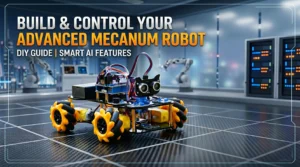
Learn Coding and Robotics with ACEBOTT QD001 Robot Car
Robotics is becoming one of the most useful ways to learn coding and electronics. The Smart ACEBOTT QD001 Robot Car is made for beginners who want practical STEM learning instead of only theory. It combines programming, sensors, AI features, and smart control systems in one project kit.
Unlike many beginner robot cars, the QD001 is expandable. Users can upgrade the robot using additional packs like the QD003 AI Vision Kit and the QD023 Motion-Sensing Glove.
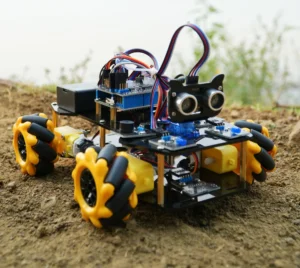
Smart Design for STEM Learning
The ACEBOTT QD001 Robot Car comes with a 4WD robot chassis powered by an ESP32 controller board. It supports coding, wireless control, obstacle detection, and line tracking features.
Main Features
- 4WD smart movement
- Obstacle avoidance
- Line tracking system
- WiFi and app control
- IR remote support
- ESP32 programming
- Arduino and Python compatibility
- Modular upgrade support
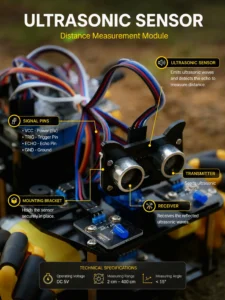
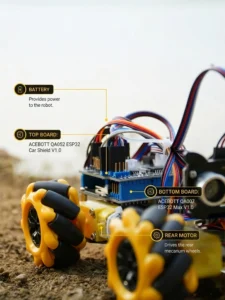
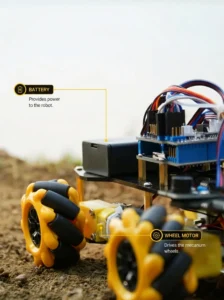
The robot is designed for students, makers, and beginners who want hands-on experience with robotics and automation.
QD003 AI Vision Expansion Pack
The QD003 expansion pack adds AI vision features to the ACEBOTT QD001 Robot Car. It uses the K210 AI chip for real-time image recognition and smart tracking.
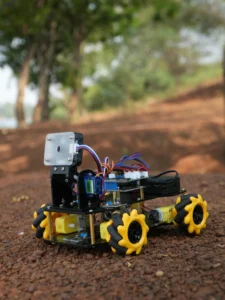
With this module, the robot can perform:
- Face recognition
- Color detection
- QR code scanning
- Object tracking
- Smart AI line following
- Sign recognition
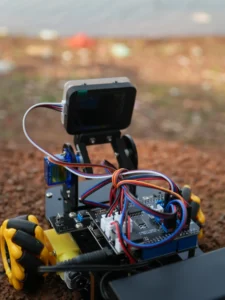
One useful advantage is offline AI processing. The robot does not depend completely on cloud services, making response time faster and more stable.
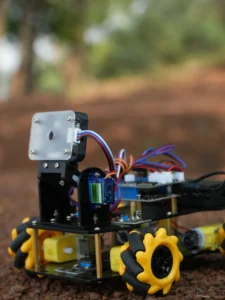
This expansion pack helps beginners understand computer vision and basic AI concepts through real projects instead of complicated theory.
QD023 Motion-Sensing Glove
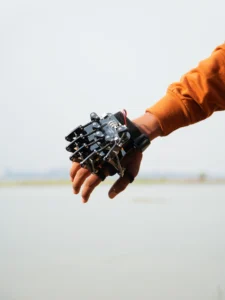
The QD023 Motion-Sensing Glove makes the robot more interactive. Instead of controlling the robot with buttons, users can move the robot using hand gestures.
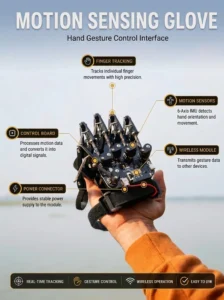
The glove can:
- Control robot direction
- Detect motion movement
- Enable wireless gesture control
- Create interactive robotics experiments
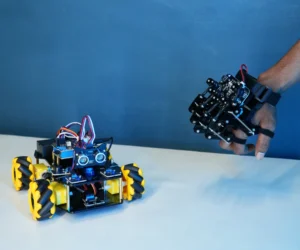
This feature makes STEM learning more engaging, especially for students interested in motion sensors and wearable technology.
Easy Programming Support
The QD001 system supports multiple coding methods:
- Arduino IDE
- ACECode visual programming
- Python programming
Beginners can start with simple block coding and later move into advanced programming.
Who Should Use This Kit?
The ACEBOTT ecosystem is suitable for:
- STEM students
- Robotics beginners
- DIY electronics learners
- Arduino users
- School projects
- AI learning experiments
It works well as both an educational tool and a practical robotics project kit.
Why Buy Robot Car?
Most beginner robot kits become useless after basic experiments. The ACEBOTT QD001 is different because it supports long-term learning and future upgrades.
Ready to Start Building?
If you want a robotics kit that grows with your skills instead of becoming outdated after one project, the ACEBOTT QD001 system is a strong choice.
👉 Check the latest price and product details below.
BUY – https://shop.acebott.com/products/qd001-esp32-smart-car-kit-collection?rs_ref=cYimUza0
👉 Recommended for beginners, STEM learners, and future robotics enthusiasts.
Final Thoughts
The ACEBOTT QD001 Smart Robot Car is more than a normal beginner robot kit. Its modular design allows users to upgrade the robot with AI vision and motion-control features without replacing the main platform.
The QD003 AI Expansion Pack adds smart vision functions, while the QD023 Motion-Sensing Glove makes robot control more interactive and fun.
For beginners interested in robotics, coding, AI, and STEM projects, the QD001 system offers a solid learning experience with real-world applications.